Download Microsoft Office 2011 – Great for Mac
Microsoft Office 2011 provides excellent resources and shareability for businesses, schools, or organizations requiring crucial administrative software. While Microsoft Office 2011 is now part of Microsoft 365 and free to download, it offers a wealth of useful software, including writing and documents in Word, email management and scheduling in Outlook, spreadsheets and calculations in Excel, and impressive visual presentations in PowerPoint.
Top Recommended Alternative
Microsoft Office 2011 integrates well with Mac OS X, and the 2011 release introduced Microsoft Messenger, Remote Desktop Connection, and Document Connect. If your company or group operates on OS X, Microsoft Office 2011 offers numerous features to take your operation to the next level.
Why download Microsoft Office 2011?
Streamlined integration and superior sharing
When you download Microsoft Office 2011, you receive a bundle of software that more than covers your needs. Once installed, your software will operate as expected without updates due to its past version status. However, it still retains key features:
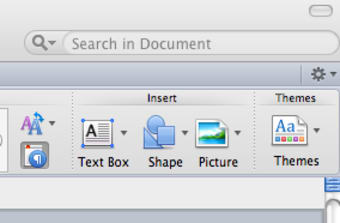
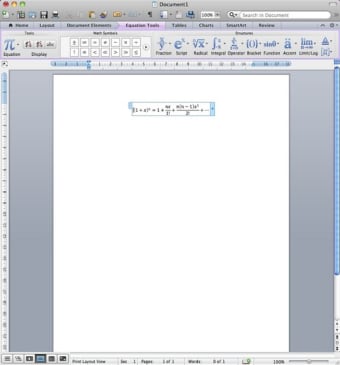
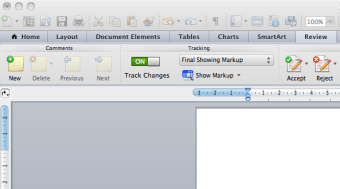
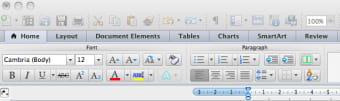
- The Ribbon in Office 2011 for Windows arranges your applications in tabs at the top of the screen, creating easy navigation across programs.
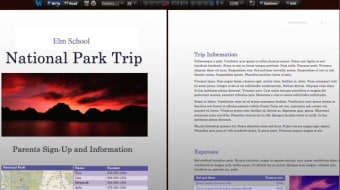
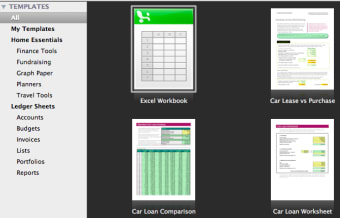
- Take advantage of included templates that you can find in PowerPoint, Word, and Excel, which are wide-ranging and easy to use.
- Document Connect allows multiple users to work within the same document, regardless of their platform.
For teams that are accustomed to Mac OS X and also need Microsoft applications, Microsoft Office 2011 is a great solution. Save time through Office 2011’s numerous sharing capabilities, and keep your productivity up to speed without constant updates.
Mac and PC integration
With the debut of Microsoft Office 2011, Microsoft updated its classic software suite to be more attuned to the needs of Mac users. Outlook for Mac fuses effortlessly with Exchange Server, providing useful features like Conversation View across both platforms.
With the advent of Sparklines in Excel and sophisticated PowerPoint additions like video embedding and new transitions, visual communication in Office 2011 is beyond par with its Mac counterparts. Though no longer serviced, Office 2011 is still a great software go-to for your school or business.
Key features of Microsoft Office 2011
Sophisticated software updates for long-term use
When your team is accustomed to specific programs and functions, finding the time for constant software maintenance and upgrades can be challenging. Microsoft Office 2011 more than covers your needs, and while it may not offer some of the AI-driven functions of the most recent software, it remains the default multipurpose software on which you can rely.
Take advantage of the guides and enhanced layout views available in Word to create professional documents and brochures. Beyond that, PowerPoint’s capabilities in Microsoft Office 2011 make complex presentations simple to navigate and transform, with updated reordering functions.
Integration with Microsoft 365
Downloading Microsoft Office 2011 within Microsoft 365 gives you the necessary tools to improve productivity and keep your team engaged. Microsoft Office 2011 offers the core programs and familiar interface that users know, and that familiarity can save you time.
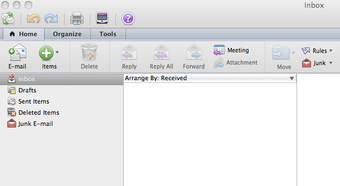
On the subject of time, Microsoft Office 2011 gives you all the scheduling functionality of Outlook, where you can see your emails, calendar, and appointments in one location. Beyond that, Word and Excel within Office 2011 mirror the PC experience exactly, so you don’t have to waste time adjusting to a Mac interface.
Performance and usability
Microsoft Office 2011 allows Mac and PC users to utilize this PC-based interface. When installed on a Mac, users see the same interface used on a PC. This puts everyone on the same page for teams with varied computer needs.
Minimum system requirements for Mac:
Operating System: Intel Mac running Mac OS X 10.5. 8 or later
Memory: minimum 4GB Ram
Hard Disk: minimum 10 GB of free storage space
Processor: Intel
When installed, Microsoft Office 2011 will keep you productive in the long term. Adding numerous templates and guides offers many options for professional needs, matching the availability of more recent office suite updates.
Advanced tools for collaborative work
Work from anywhere
Some of the best upgrades implemented in Microsoft Office 2011 are in the realm of collaborative work, document sharing, and software availability. Windows Live SkyDrive offers the ability to access software from practically anywhere.
Present on the fly
Microsoft Office 2011 has numerous co-authoring functions, allowing you and your collaborators to create and edit the same file simultaneously. PowerPoint from Microsoft 2011 can broadcast your slide show, making in-office presentations simple.
Why Microsoft Office 2011 is a great foundation
Businesses that operate on a traveling circuit or from areas without strong web connections will appreciate the reliability of Microsoft 2011. Microsoft 2011’s bundle of essential programs more than covers the need for many tasks.
Standard applications like Word and Excel present the same user interface, whether installed on a Mac or PC. If your team needs to simply dive in on the first available device, this ensures you will not have user hiccups.
While Microsoft Office 2011 does not integrate with the iPhone, Outlook’s scheduling and calendar functions ensure you stay abreast of appointments and correspondence without the interruptions of constant software updates.
Microsoft Office 2011’s home and student editions do not include Outlook, which is why opting for the business version ensures all of your needs are covered.
When demand for productivity and organization is high, Microsoft Office 2011 keeps you moving, regardless of whether your team is running on a PC or Mac.